Install the extension
The extension is published on the Visual Studio Marketplace by Ashling as RiscFree™ for Embedded Software Development.
| Item | Value |
|---|---|
| Extension ID | Ashling.riscfree |
| Publisher | Ashling |
| Requires | Visual Studio Code 1.82 or later (download) |
Install from the Marketplace
- Open VS Code.
- Open the Extensions view: select the Extensions icon in the Activity Bar, or press Ctrl+Shift+X.
- Search for
RiscFree. - Select RiscFree™ for Embedded Software Development (publisher Ashling), then select Install.
When the install finishes, the Ashling icon ( ) appears in the Activity Bar, and the extension's page shows Disable and Uninstall in place of Install.
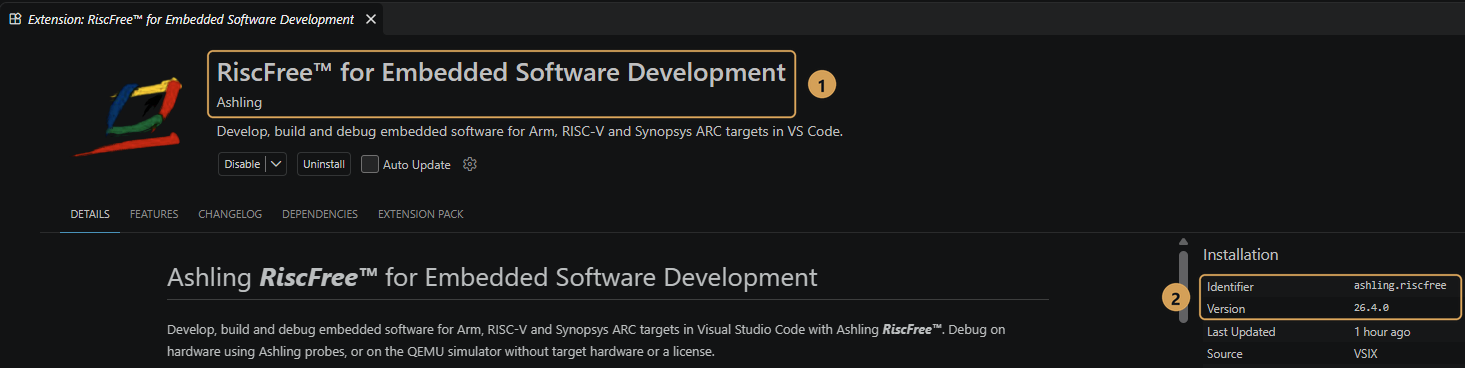
- The extension name ① is RiscFree™ for Embedded Software Development, published by Ashling.
- The Installation panel shows the identifier
ashling.riscfreeand the installed version ②. Extension identifiers aren't case-sensitive, soashling.riscfreeandAshling.riscfreeare the same.
Install from the command line
Run this in a terminal. The code command must be on your PATH; the VS Code installer adds it by default on Windows.
Update or uninstall
VS Code updates the extension automatically. To update by hand, open the Extensions view, select the extension, and select Update.
To uninstall, select Uninstall on the extension's page. Installed SDKs are not removed. To free the disk space, remove them in the SDK Manager before you uninstall. The extension's own data (the SDK list and each project's SDK selection) stays in %LOCALAPPDATA%\Ashling\vcpkg on Windows or ~/.ashling/vcpkg on Linux; delete that folder for a clean uninstall.
Don't delete the whole SDK root folder
The SDK Manager installs SDKs with vcpkg, Microsoft's open-source package manager. That is why the default SDK root folder is .vcpkg in your home folder, and it can also hold files of other vcpkg-based tools. Remove Ashling SDKs in the SDK Manager instead. Downloaded SDK archives are kept in the downloads folder inside the SDK root folder; you can delete that folder to free more space.